ad
Track SHEIN order to follow your package until delivery.
Learn how to track your package and discover tools with real time updates.
Options to Track your Package in Real Time
Besides SHEIN’s official platform, several apps and websites can also help you track your packages.
They bring together orders from different stores in one place.
Parcels App

Parcels is a platform that makes it easy to track domestic and international purchases.
Main features:
- Track purchases from SHEIN and other stores
- View your delivery history
- Automatically identify the shipping carrier
- Track multiple orders on a single screen
- No registration required
17TRACK
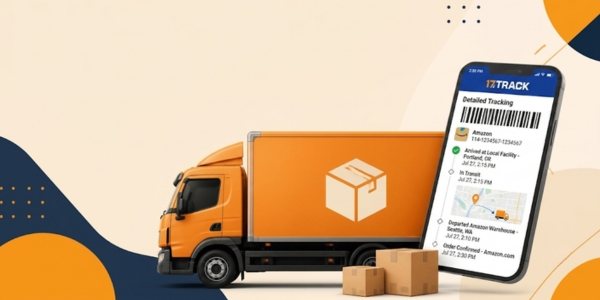
17TRACK is one of the best known platforms for tracking international shipments.
Its features include:
- Automatic carrier detection
- Tracking multiple orders simultaneously
- Synchronization across devices
- Notifications about new tracking updates
- Organization of different shipments
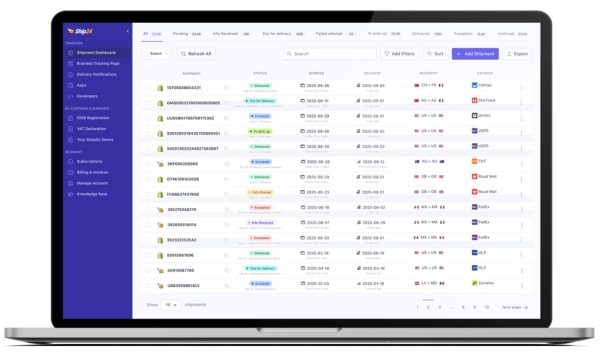
Ship24
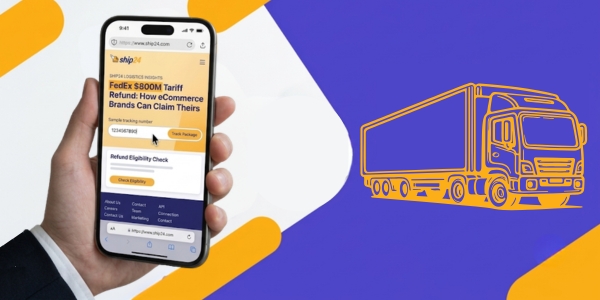
Ship24 works directly in your browser and offers an interface available in multiple languages.
Its main features include:
- Track orders from SHEIN and other platforms
- Automatically identify the shipping company responsible for delivery
- View real time tracking updates
- Track international shipments through different stages
- Monitor multiple orders on the same platform
These three options make it easier to track orders from different stores.
Track your Package through the SHEIN Website and App
If you want to track SHEIN orders, the platform itself provides all the information you need about your delivery.
Tracking is available through both the official website and the SHEIN app.
Once your purchase has been shipped, simply log into your account to follow its next updates.
In the order section, you’ll find the package status updated whenever there is new information.
You can also view the delivery history throughout the entire shipping process.
This information helps you understand where your package is at every stage of transit.
Step by Step to Tracking your SHEIN Order
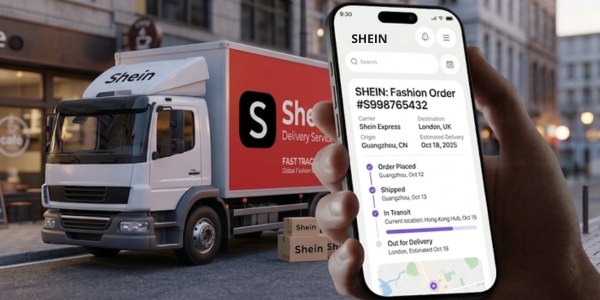
It takes only a few minutes to track SHEIN orders using the app or the website.
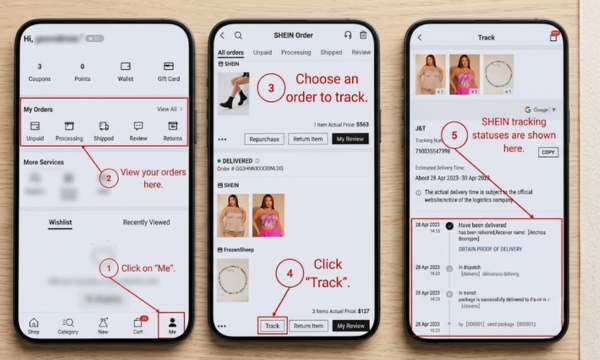
Through the SHEIN App
- Open the SHEIN app and log in to your account.
- At the bottom of the screen, tap Profile to access your account.
- Then open My Orders to view all your purchases.
- Find the package you want to track and tap it to open the order details.
- If your order has already been shipped, select Track.
You’ll see the package status, the delivery history, and other important information.
Through the SHEIN Website
If you prefer using a computer, you can also track SHEIN orders through the official website.
- Log in with the email used for your purchase.
- Next, click My Orders to locate the order you want.
- Select View Details to open all the order information.
- Then click Track to follow every delivery update.
You’ll have access to the same information displayed in the app.
Where to Find your Tracking Number
Anyone who wants to track SHEIN orders usually looks for the tracking number first.
This information usually becomes available only after your order has been shipped by SHEIN.
While your purchase is still being prepared, it’s normal for the tracking number not to be available yet.
To find it, log into your account through the app or the official website.
Then go to My Orders and select the purchase you want.
Click View Details to open all the shipping information.
Next, select Track to view the delivery details.
On this screen, you’ll find the tracking number used to monitor your package.
Also check the shipping confirmation email sent after your order ships.
What the Main Tracking Statuses Mean
When you track SHEIN orders, you’ll see different tracking messages throughout the shipping process.
Each one represents a delivery stage and helps you understand where your package is.
Processing
This status means that SHEIN has received your order and has started preparing your items.
Shipped
This status confirms that your package has already left the distribution center.
In Transit
This indicates that your package is traveling between logistics centers or shipping carriers.
Arrived at Distribution Center
This message means that your package has been received at another logistics facility.
In Customs Clearance
International purchases go through customs inspection procedures before continuing their journey.
Out for Delivery
This is usually one of the most anticipated moments for anyone who decided to track SHEIN order.
It means the shipping carrier is already delivering your package to the address provided.
Delivered
This status confirms that your package has been successfully delivered!
Contact SHEIN Customer Support
If you still can’t track SHEIN orders or notice an issue, contact customer support.
Support is also recommended if you’re experiencing delivery delays or have questions about your shipment.
Through the App
- Open the SHEIN app and log into your account.
- Then tap Profile and open Customer Service.
- Select the order related to your issue to begin the support process.
- Explain what happened and provide the details of your purchase.
The more information you provide, the easier it will be to locate your package.
Through the Website
- On the official SHEIN website, log into the account used for your purchase.
- Next, go to the Customer Service section.
- Select the order you want to inquire about and describe the issue you encountered.
- Whenever possible, include the latest update shown in your delivery history.
This helps the support team review your case more quickly.
Information that Can Speed up the Support Process
Before contacting customer support, have some information ready.
This makes it easier to identify your purchase and speeds up the assistance process.
- Order number
- Email address used for the purchase
- Shipping carrier, when available
- Latest delivery update
Description of the issue encountered.