ad
Canva brings together design, editing, artificial intelligence, and content creation in a single platform.
But do so many features make the app a good choice for people who are not designers?
What Makes Canva so Popular?
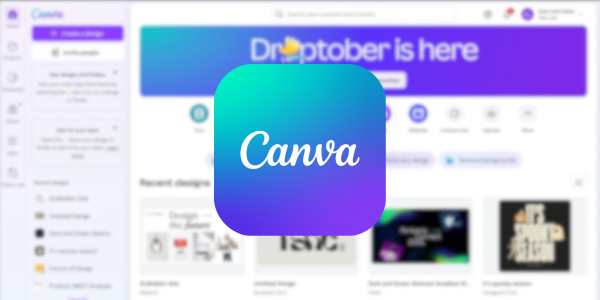
Canva has made design more accessible for people who are not familiar with professional tools.
Its drag and drop editor makes it easier to create without starting from scratch.
The platform brings together different types of projects in one place, including posts, videos, documents, websites, and PDFs.
That way, you don’t need to open several programs to complete a single project.
Another highlight is the variety of templates, images, videos, audio, and graphic elements available.
| Feature | Canva Free | Canva Pro |
|---|---|---|
| Templates | More than 1.6 million | More than 3.6 million |
| Content | More than 4.7 million | More than 141 million |
| Storage | 5 GB | 100 GB |
| Premium tools | Limited | Expanded access |
| AI features | Yes | More features and expanded use |
That’s why Canva’s popularity does not depend on a single function.
The platform tries to bring together simplicity, variety, and practicality in a single experience.
Templates: Create Designs without Starting from Scratch
You know when you need to create something, but simply don’t know where to start?
Canva templates solve precisely that part.
You can choose a ready made template and replace text, images, colors, and other elements.
There are templates for different needs, such as:
- Social media posts: create content for Instagram, TikTok, and other platforms.
- Presentations: put together slides for assignments, meetings, or projects.
- Resumes: organize your experience in a more visual template.
- Invitations: create personalized invitations for different occasions.
- Videos: edit short content, presentations, and videos for social media.
- Documents: create materials with text, images, and graphic elements.
- Marketing materials: develop pieces to promote your brand or business.
A good idea is to use the template as a starting point and customize the result.
Photos and Videos: Edit your Content Through Canva
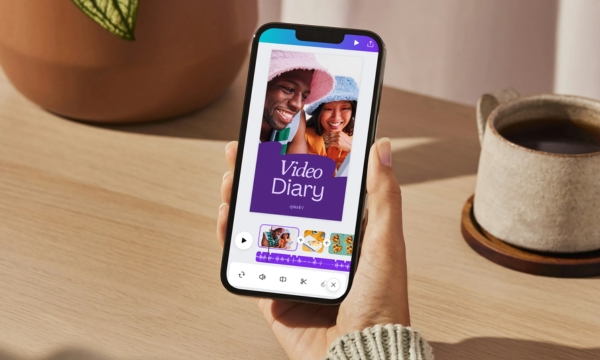
The platform also works as a photo and video editing tool.
You can add images, trim videos, insert text, apply elements, and create different types of content.
You can, for example:
- Trim and organize videos
- Add captions
- Insert music and effects
- Create videos for social media
- Edit images
- Remove backgrounds
- Add text and graphic elements
Don’t expect it to replace professional editing software for every project.
But for everyday content, social media, and quick materials, the app can handle quite a lot.
Canva AI: Create and Edit with Artificial Intelligence
Here is one of the parts that has evolved the most within the app.
Canva AI brings together tools that help with everything from generating ideas to editing images and creating content.
The platform has features such as Magic Write, Magic Design, Magic Switch, Magic Edit, and Magic Expand.
In practice, this means you can use commands to speed up tasks that would normally require more steps.
You can also use AI to turn ideas into designs and make changes without editing everything manually.
This makes creation faster, especially when you already know what you want but don’t know exactly how to do it.
It’s that moment when you think: “I could do this manually, but why suffer?”
Presentations, Posts, and Other Designs in One App
One of the most interesting things about Canva is precisely its variety.
You don’t have to use the platform only to create a beautiful image for Instagram.
It also allows you to create presentations, documents, videos, websites, printed materials, and other formats.
Afterward, the project can be exported in formats such as PDF, PPT, or video, depending on the type of creation.
This makes Canva interesting for different types of users.
| Type of user | What they can create |
|---|---|
| Student | Presentations and assignments |
| Content creator | Posts, stories, and videos |
| Professional | Presentations and work materials |
| Small business | Promotional and branding materials |
| Regular user | Invitations, cards, and personal projects |
The great advantage is having multiple formats gathered under the same account.
Features for Creating Social Media Content
If you create content for Instagram, TikTok, or other platforms, it can be a great work companion.
The platform allows you to create posts, stories, videos, and other social formats using specific templates.
There are also features for collaborating, scheduling, and publishing content.
Among the features that can help are:
- Social media templates
- Photo editor
- Video editor
- AI tools
- Resizing
- Content scheduling
- Image and element library
- Collaboration features
For those who produce content frequently, bringing these tools together can save quite a lot of time.
Canva Free or Pro: What Changes in the Experience?
This is probably one of the biggest questions for anyone who starts using the app.
The good news is that Canva Free already lets you create quite a lot.
You find templates, free content, an editor, cloud storage, and some AI tools.
Pro comes in when you need more premium features and fewer limitations.
Highlights include the background remover, resizing, translator, premium content, and more storage.
💰 How much does it cost?
Canva Pro is available starting at US$ 14.99 per person.
Prices may change depending on the billing method and the offers available.
If you create things occasionally, the free plan will probably be enough.
Now, if you frequently work with design, content, or social media, the extra features may make more sense.
Our Experience with Canva: See what We Think
After looking at so many features, it is easy to understand why Canva has become so popular.
The main positive point is its ease of use.
You don’t need to know complex tools to start creating.
Templates speed up the process, while the library offers plenty of material to customize projects.
The inclusion of AI tools also makes the process more interesting.
On the other hand, having so much available can create that feeling of “where do I start?”
For those who have never used the platform, it is worth starting with a specific need.
Create a post, a presentation, or an invitation before trying to explore absolutely everything.
Maybe that’s the formula for success: less complication and more freedom to create.