ad
Manage your purchases and track amazon packages easily.
Also discover how to track eBay orders using trusted tools.
Reliable Tools to Track Deliveries in Real Time
In addition to Amazon and eBay, there are specialized tools that make it easier to track packages.
These services combine data from different carriers to track Amazon packages and eBay orders.
17TRACK
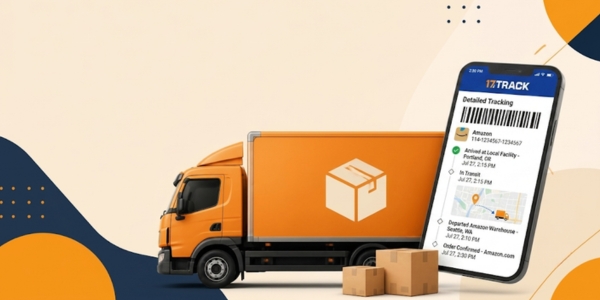
17TRACK is one of the most widely used package tracking platforms in the world.
Simply enter the tracking number to automatically identify the shipping carrier.
Its main features include:
- Automatic carrier detection
- Notifications of new tracking updates
- Lookup of multiple tracking numbers
- Complete delivery history
- Synchronization across devices
The app makes it easy to track Amazon packages and monitor eBay purchases.
Parcels
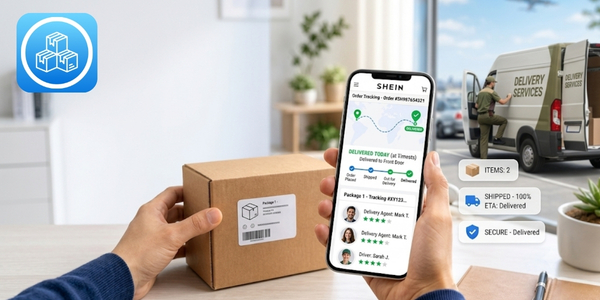
Parcels is another excellent option for tracking online orders.
The platform supports purchases made on Amazon, eBay, Temu, AliExpress, and other well known stores.
Available features include:
- Estimated delivery date
- Updated tracking history
- Automatic carrier identification
- Notifications about new shipping stages
- International shipment tracking
Parcels also offers Premium versions for users who want additional features.
Ship24
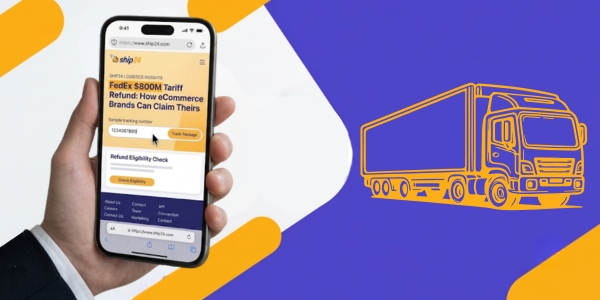
Ship24 works directly in your browser, with no need to install an app.
The platform automatically identifies the shipping carrier responsible for your package.
It supports more than 1,500 shipping carriers worldwide.
It also tracks purchases made on Amazon, eBay, SHEIN, Temu, and AliExpress.
To check an order, simply paste your tracking number.
Track Amazon Packages through the Website and App
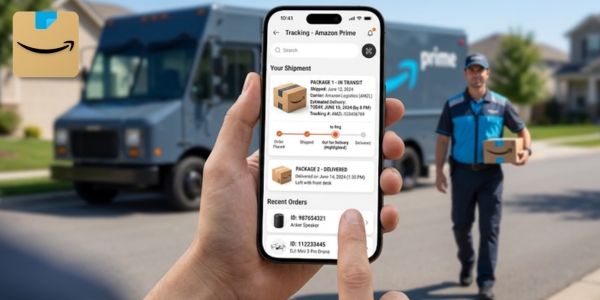
Amazon centralizes all tracking information directly in your customer account.
With a few taps, you can follow every delivery stage. Some orders also include Amazon Map Tracking.
How to track through the app
- Open the Amazon app.
- Sign in to your account.
- Tap the profile icon.
- Go to Your Orders.
- Choose the order you want.
- Tap Track package.
How to track through the website
The process is very similar and makes it easy to track Amazon packages.
Follow these steps:
- Go to the Amazon website.
- Sign in to your account.
- Click Returns & Orders.
- Choose the order.
- Click Track package.
The dashboard displays virtually the same information as the app.
When the order is sold by third party sellers, Amazon also displays the information provided by the seller.
How to Track eBay Purchases
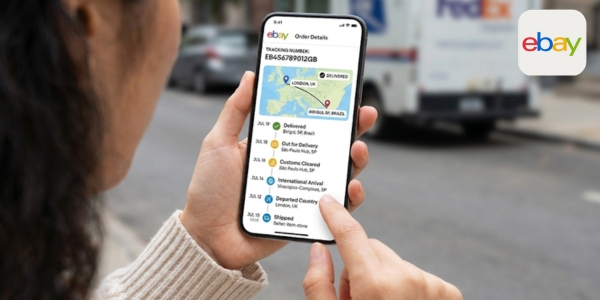
eBay operates as a large marketplace, bringing together sellers from different countries.
Because of this, package tracking depends on the shipping method chosen by each seller.
How to track through the app
Follow these steps:
- Open the eBay app.
- Sign in to your account.
- Tap Purchase History.
- Choose the order you want.
- Check the delivery tracking.
If the seller has provided a tracking number, it will automatically appear on the screen.
How to track through the website
If you use a computer, you’ll find virtually the same information.
Do the following:
- Go to the eBay website.
- Sign in.
- Click Purchase History.
- Select the order.
- Check the delivery status.
If a tracking number is available, simply click on it. The system will display the complete package history.
What the Tracking Statuses Mean
Tracking statuses show every stage of the delivery for those who track Amazon packages and eBay orders.
Status names vary between Amazon, eBay, and carriers, but their meaning is usually the same.
- Payment confirmed: Your payment has been confirmed, and the order will move to the preparation stage.
- Preparing for shipment: The product is being picked by the seller or the distribution center.
- Shipped: The package has been handed over to the shipping carrier and has begun its journey.
- In transit: The package is traveling between cities or logistics centers.
- Arrived at distribution center: The package is waiting for the next stage of delivery.
- In customs inspection: The order is going through customs, which is common for international purchases.
- Out for delivery: The delivery driver already has the package and is expected to complete the delivery that day.
- Delivered: The package has arrived at the delivery address and the shipment has been completed.

Where to Find your Tracking Number
The tracking number allows you to follow every movement of your package.
It can also be used on websites and apps to track Amazon packages and eBay orders.
On Amazon
On Amazon, the tracking number usually appears shortly after the order has been shipped.
Follow these steps:
- Go to Your Orders.
- Select your purchase.
- Click Track package.
On eBay
On eBay, the tracking number appears on the order page if tracking is available.
To find it, do the following:
- Sign in to your account.
- Open Purchase History.
- Choose the order.
- Check the Tracking Number field.
If the tracking number is not yet available, the seller may not have shipped the item yet.

My Order hasn’t Been Updated. What should I Do?
Seeing your Amazon package or eBay order tracking stop updating can be worrying.
However, this doesn’t always mean there’s a problem with the delivery.
In many situations, the package is still traveling normally.
The latest movements simply haven’t been recorded yet by the shipping carrier.
Wait for a new update
It’s common for some shipping carriers to take time to update their systems.
Check whether the tracking number was entered correctly
A simple typing error may prevent the tracking information from appearing.
Check other tracking platforms
The shopping platform doesn’t always display every tracking update.
It’s worth checking the tracking number on platforms such as 17TRACK, Parcels, and Ship24.
International purchases may take longer
International orders usually pass through logistics centers, customs, and different shipping carriers.
Contact the seller or customer support
If the delivery date is near, contact support before the deadline.