ad
Want to follow touchdowns, big plays, and all the excitement of the NFL live directly on your phone screen?
👉 This content is informational and presents reliable apps for watching games live.
Best Apps to Watch the NFL Live on Your Phone
Choosing the right app makes it easier to follow your favorite teams.
Before subscribing, check which games are available live and compare the features and prices.
NFL App
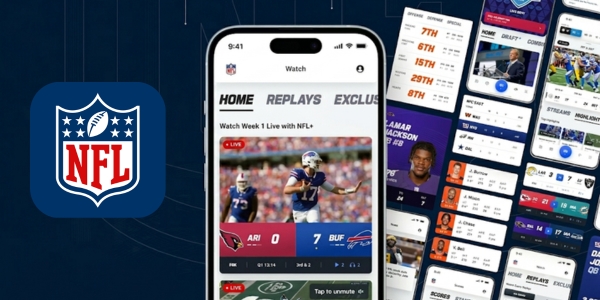
NFL+ is the NFL’s official streaming service in the United States.
It offers selected live games on mobile devices, along with content to keep fans updated throughout the season.
The Premium plan adds more ways to follow the action.
- Selected local and primetime games on mobile
- Full-game replays
- NFL RedZone with Premium
- NFL Network and live game audio
- Highlights and on-demand content
Price: NFL+ costs US$ 6.99/month or US$ 49.99/year. NFL+ Premium costs US$ 14.99/month or US$ 99.99 per season.
Prime Video App
Prime Video is the exclusive home of Thursday Night Football in the United States.
Fans can watch games on compatible phones, tablets, computers, and TVs. The service also includes a library of movies and series.
- Selected NFL games throughout the season
- Streaming on compatible devices
- Movies and series included with Prime Video
- Access through an Amazon Prime membership
Price: Amazon Prime costs US$ 14.99/month or US$ 139/year.
Peacock App
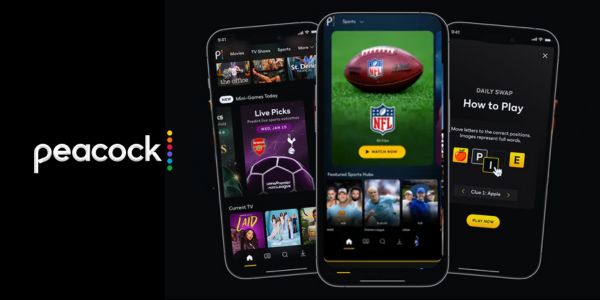
Peacock streams Sunday Night Football and other selected NFL games in the United States.
It also brings together sports, movies, and series in one app. Subscribers can choose between Premium and Premium Plus.
- Selected NFL games and sports events
- Movies and series on demand
- Streaming on compatible devices
- Premium and Premium Plus subscription options
Price: Premium costs US$ 12.99/month or US$ 129.99/year. Premium Plus costs US$ 19.99/month or US$ 199.99/year.
Paramount+ App

Paramount+ offers eligible NFL live games broadcast by CBS, including selected regular season and postseason matchups.
The Premium plan adds access to the live local CBS station.
- Eligible regular season and playoff matchups
- Live local CBS station with Premium
- Movies and series on demand
- Streaming on compatible devices
Price: Essential costs US$ 8.99/month. Premium costs US$ 13.99/month.
Main TV Channels that Broadcast NFL Live
Several major US television networks broadcast NFL live games throughout the season.
Each channel has its own schedule, from Sunday afternoon matchups to exciting primetime games.
Knowing what each network offers helps fans choose the best way to follow their favorite teams.
| TV Channel | NFL Coverage |
|---|---|
| CBS | Sunday afternoon games, including selected AFC matchups and playoff games. |
| FOX | Sunday afternoon games, with many NFC matchups and selected playoff games. |
| NBC | Sunday Night Football and selected postseason games. |
| ESPN | Monday Night Football and other selected NFL broadcasts. |
These networks bring fans some of the season’s biggest matchups, but game availability depends on the weekly schedule and local market.
Check the listings ahead of kickoff so you don’t miss the action.
How to Install the Apps on Your Phone
Installing an app to watch the NFL live is simple and quick, even for those who have never used this type of service.
Follow these steps to start watching the games:
- Choose the service: confirm which platform broadcasts games in your country.
- Open the official store: use the Google Play Store on Android or the App Store on iPhone.
- Search for the app: check the developer and tap Install or Get.
- Sign in to your account: log in or create an account.
- Check the plan: verify whether the games you want are included.
- Update the app: keep the latest version installed to improve compatibility.
Avoid downloads from unknown websites.
Official stores help protect your data and reduce the risk of installing fake apps.

Step by Step Guide to Start Watching the Games
With the app installed, just a few adjustments remain before you can watch the NFL live:
- Check the schedule and confirm the time in your local time zone.
- Open the app a few minutes before kickoff.
- Find the game in the live schedule or sports section.
- Test the stream to resolve login or connection problems.
- Adjust the audio and picture according to your preferences and internet quality.
If the game does not appear in the NFL live schedule, check whether it is included in your subscription and whether any regional restrictions apply.
Not all plans broadcast every game, so check the package details before subscribing.
Tips for Watching Games without Interruptions
Want to enjoy the NFL live without buffering and catch every play without interruptions?
A few simple precautions involving your connection and phone can greatly improve your experience.
- Choose a stable Wi-Fi connection: it is usually ideal for long broadcasts.
- Close unnecessary apps: this can free up your phone’s resources.
- Lower the video quality: if the connection is unstable, a lower resolution may prevent pauses.
- Charge your battery: long broadcasts consume power, especially with high screen brightness.
- Update the app: recent versions may fix bugs.
- Sign in a few minutes early: that way, you can resolve problems without missing the beginning.
Use authorized services and confirm the game time.
A good connection and a little preparation make a difference to your experience.
On the Road to Kickoff: Get Ready for the Next Game
Now that you know the options, choose the app that matches your budget and preferences for watching the NFL live.
Set reminders, check your team’s schedule, and test the stream in advance.
The excitement builds as kickoff approaches, so get everything ready to enjoy the action without interruptions!
That way, you avoid last minute rushing and can enjoy every advance, defensive play, and touchdown.
Get your phone ready, put on your team’s jersey, and get into the kickoff spirit. The next big play could be just a few taps away!